UPI payment QR stand for your shop: a simple guide
4 November 2026 · 6 min read
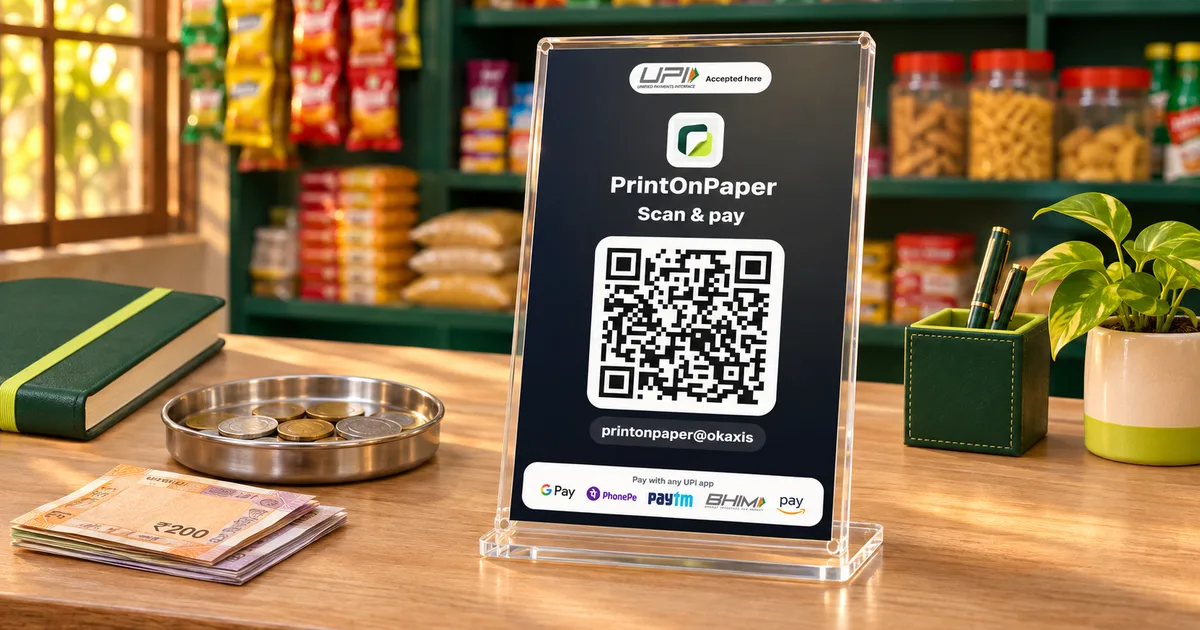
Most customers in India now reach for their phone before their wallet. A printed UPI QR on the counter lets them pay in a few seconds with whatever app they already use, and you get the money straight in your bank account.
Many shops still use the paper sticker that came from the bank, often faded, peeling or taped to the side of the counter. A proper stand with your shop's name looks trusted, is easy to spot and lasts for years.
How a UPI payment QR works
The QR holds a standard UPI payment link with your UPI ID (also called a VPA), for example greenleafcafe@okaxis, and your shop's name. When a customer scans it, their UPI app opens a payment screen addressed to you. They type the amount, enter their UPI PIN and the money moves directly from their bank to yours.
No amount is printed in the QR, so one stand works for every bill. Nothing passes through PrintOnPaper: we only print your UPI ID into the code.
Which apps can pay with it?
- Google Pay, PhonePe and Paytm, the apps most of your customers use.
- BHIM, Amazon Pay, CRED, WhatsApp Pay and other UPI apps.
- Most bank apps with UPI built in.
- Any phone camera or Google Lens that opens UPI links will also hand the payment to a UPI app.
Personal or business UPI ID?
Any UPI ID works in the QR. For a shop, a business or merchant UPI ID from Google Pay for Business, PhonePe Business, Paytm for Business or your bank is the better choice. It is set up for many small payments a day, shows your shop name to the customer, and keeps shop money apart from personal spending.
If you already have a QR sticker from one of these apps, its UPI ID is the one to use. Our guide on finding and copying your UPI ID shows where it is in each app.
What a good payment stand shows
- A big, clear QR code on a white background, so it scans quickly even in dim light.
- Your shop name and logo, so customers know they are paying the right place.
- Your UPI ID in text under the QR, for customers who prefer to type it.
- "Scan & Pay" in large letters and the UPI app badges, so nobody has to ask.
Where to put it
- On the billing counter, facing the customer, at hand height.
- Next to the card machine if you have one, so people see both choices together.
- On restaurant tables or at the pickup window, so people can pay while they wait.
- Not under strong glare or behind glass. Reflections slow down scanning.
Keep customers safe from QR fraud
Scammers sometimes stick their own QR over a shop's code. A stand you can see and move is harder to tamper with than a sticker on a wall. Check it at opening time, and if anything is pasted on top, remove it.
Tell customers to check that the name on their payment screen matches your shop before they enter the PIN. Remind them that they never need a PIN to receive money. Use the payment alert or sound box from your app to confirm each payment instead of trusting a screenshot.
Card, wooden stand or acrylic?
A 9×14 cm card in a wooden base is the classic counter stand and our most popular choice. A wallet-size PVC card suits delivery staff, stalls and anyone who moves around. A 6×4 inch acrylic stand looks clean in clinics, showrooms and offices. All three carry the same artwork and the same QR.
Test before you print
Our QR maker shows your real payment QR while you design. Scan the preview with your own phone: the payment screen should show your name or your shop's registered name. Close it without paying. We scan every printed QR again before packing.
Make your UPI payment stand
Paste your UPI ID, pick one of 20+ designs (or make your own with ChatGPT), and scan the preview with your own phone before you order.